Now on the App Store

Free to talk?
Tap once.

Phone Tag is the opposite of Do Not Disturb. Tap when you’re free, and you’re one tap from a real conversation with someone you love. Free to hang instead? Say so, and your people tap I’m in.

Download on the App Store Free. No ads. No feeds.

Sound familiar?

We all have people
we mean to call.

Not because we don’t care. We just never know if it’s a good time, and calling after months apart can feel strange. So we scroll past each other instead.

“I should call Grandma this week.”
“It’s been a year since I talked to Jake…”
“She’s probably busy.”
“Would it be weird to call out of nowhere?”
“We should really catch up sometime!”

Phone Tag fixes the hard part: knowing they’re free, too.

How it works

Three taps to a real conversation.

1

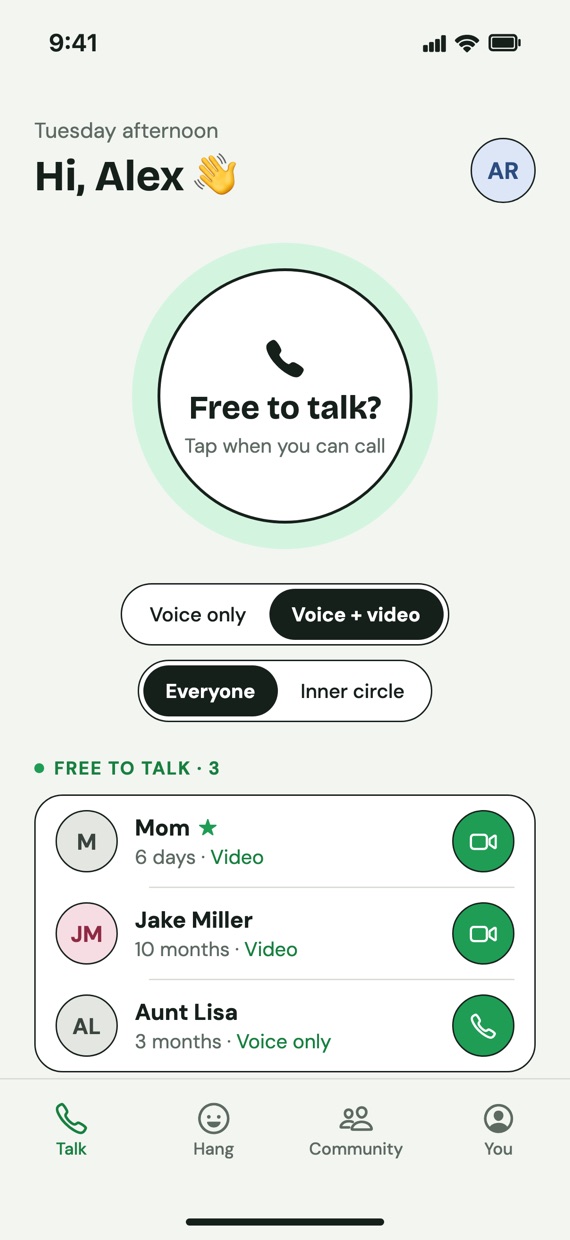
Tap Free to talk?

Free on a walk or a long drive? Tap the big button. Pick voice only if you’re not camera-ready.

The Talk screen with the Free to talk? button and friends who are free
2

See who’s free

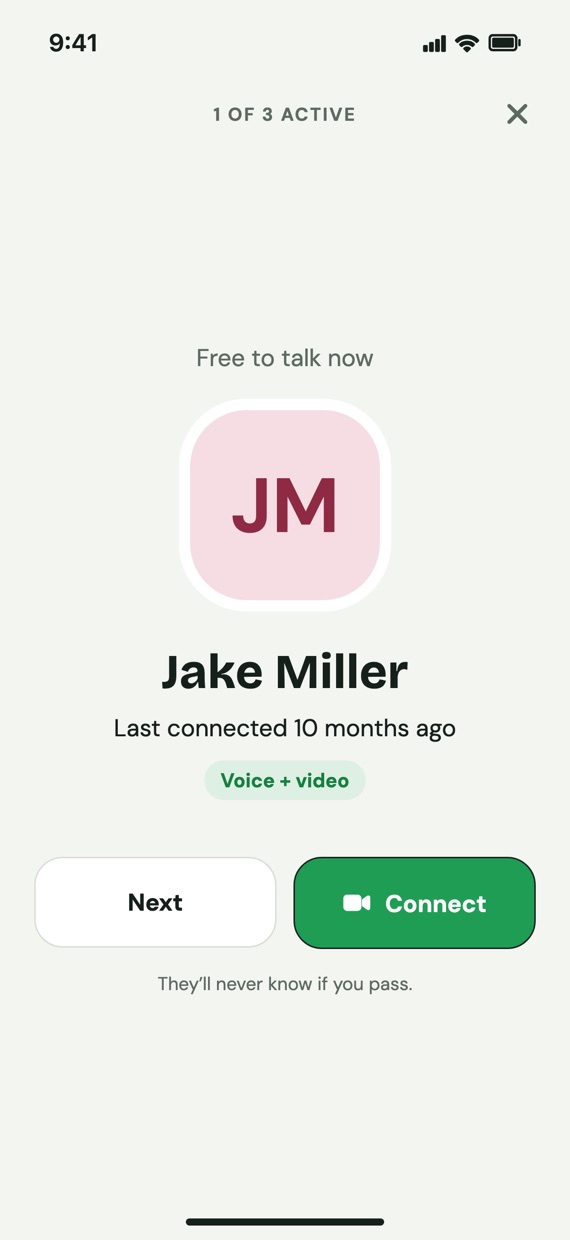
Phone Tag shows who else is free, starting with whoever you’ve missed the most.

A friend who is free to talk, with Next and Connect buttons
3

Connect

Tap Connect and your iPhone calls them. A normal phone call or FaceTime, nothing new to learn.

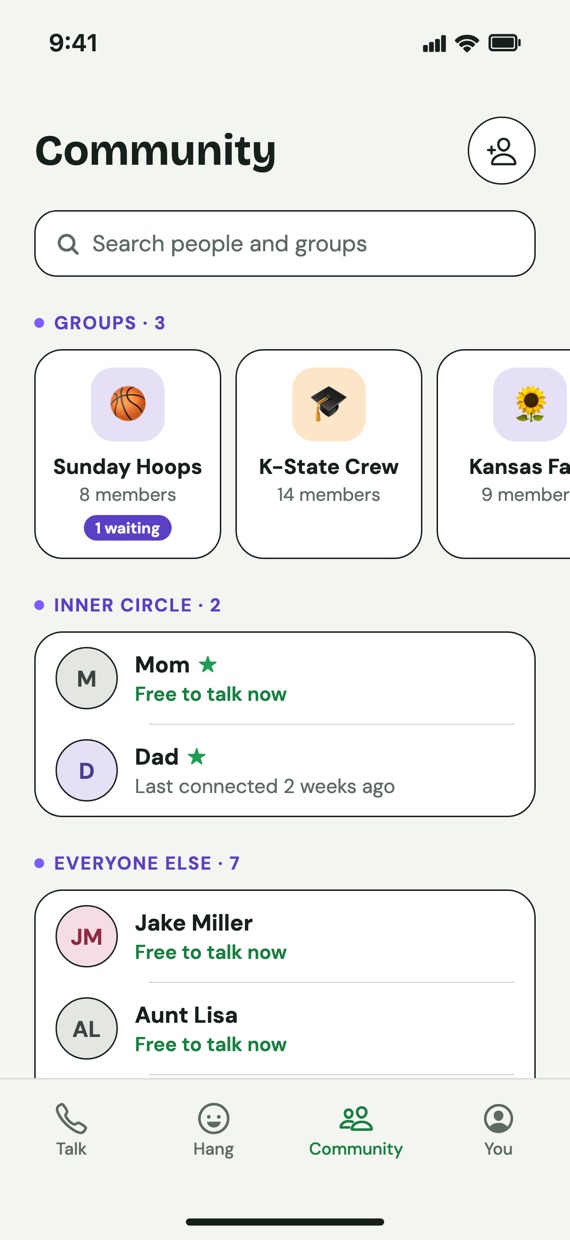
Your community: groups, your inner circle, and everyone else

Real conversations

Reconnect with who you’ve missed.

The longer it’s been, the higher they show up. Being free is the yes, so calling never feels like an interruption.

  • Not feeling it? Tap Next. They’ll never know you passed.
  • Keep a private inner circle for your closest people.
  • Get a heads-up when a friend is free and nobody else is around.
Jake Miller is free to talk. Last connected 10 months ago.
10 months?! 😳 Free to talk 📞

Real time together

Free to hang? Say so.

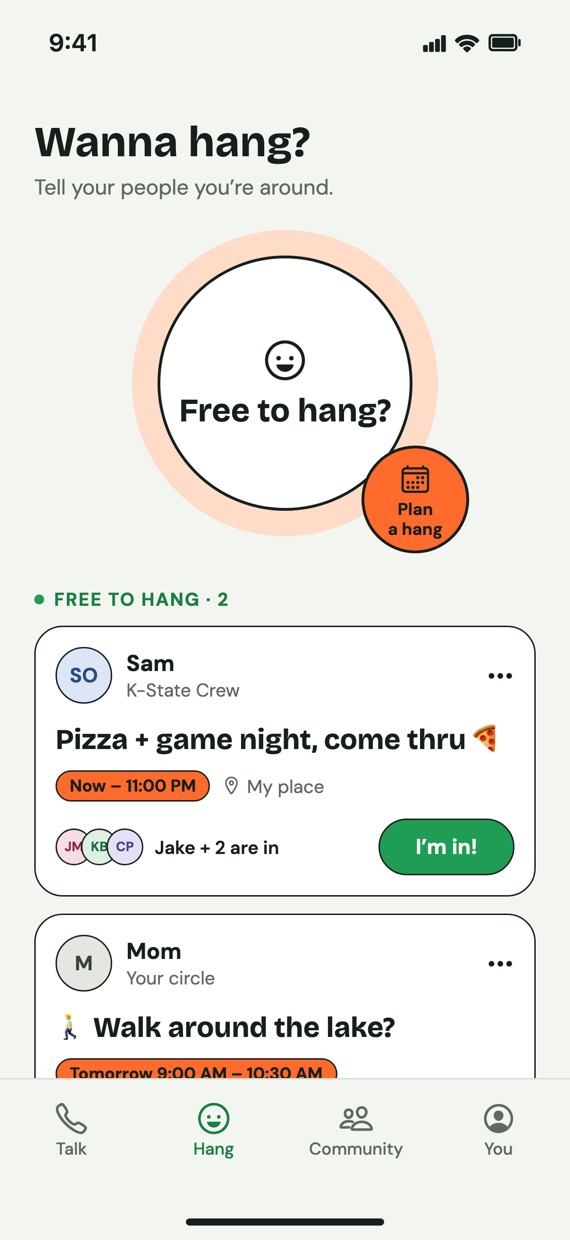
Up for coffee, hoops, or just hanging out? Say what and when, pick who sees it, and your people tap I’m in. It disappears on its own when the time’s up.

  • Share with your whole circle, just your inner circle, or any of your groups.
  • Everyone can see who’s in, so it’s easy to say yes.
  • One at a time, no group chat, no planning committee.
Friends who are free to hang, with I'm in buttons
Jake + 2 are in 🍕 Free until 11 PM

Plans, made easy

Plans without the group chat.

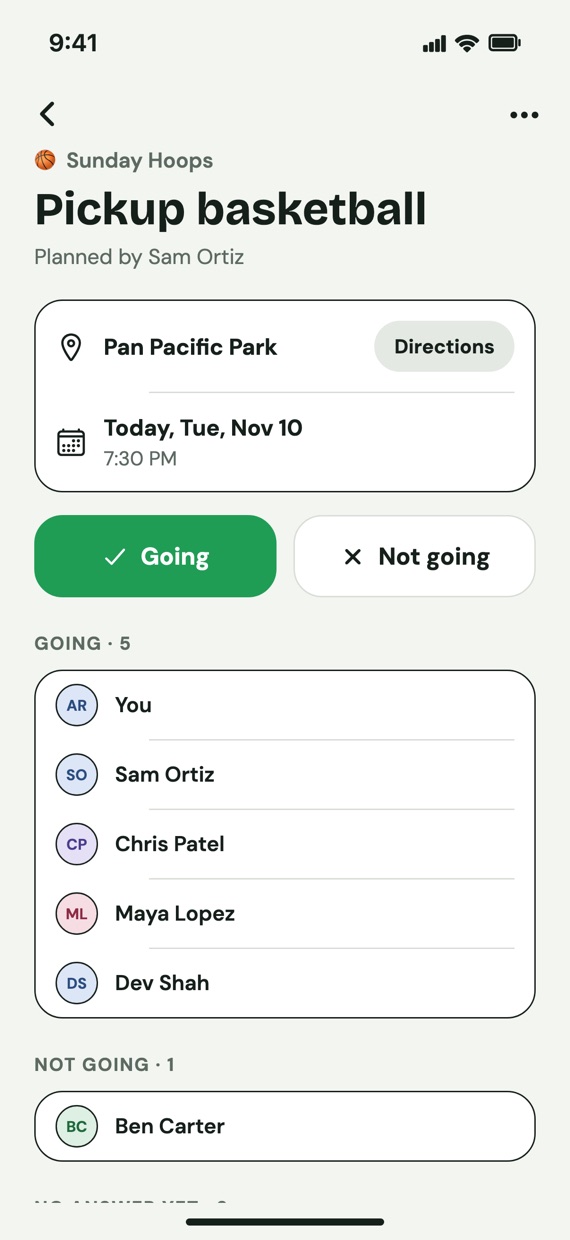
Plan a hang for later in seconds, for your circle or your groups: family, old roommates, or the weekend crew. Everyone taps Going or Not going.

  • What, where, when. In person or a FaceTime or Zoom link.
  • See who’s coming at a glance, with a reminder before it starts.
  • Groups are private: join by invite link or QR code only.
A hangout with Going and Not going buttons
🏀 5 going No 87 unread messages

Celebrate connection

Count people, not minutes.

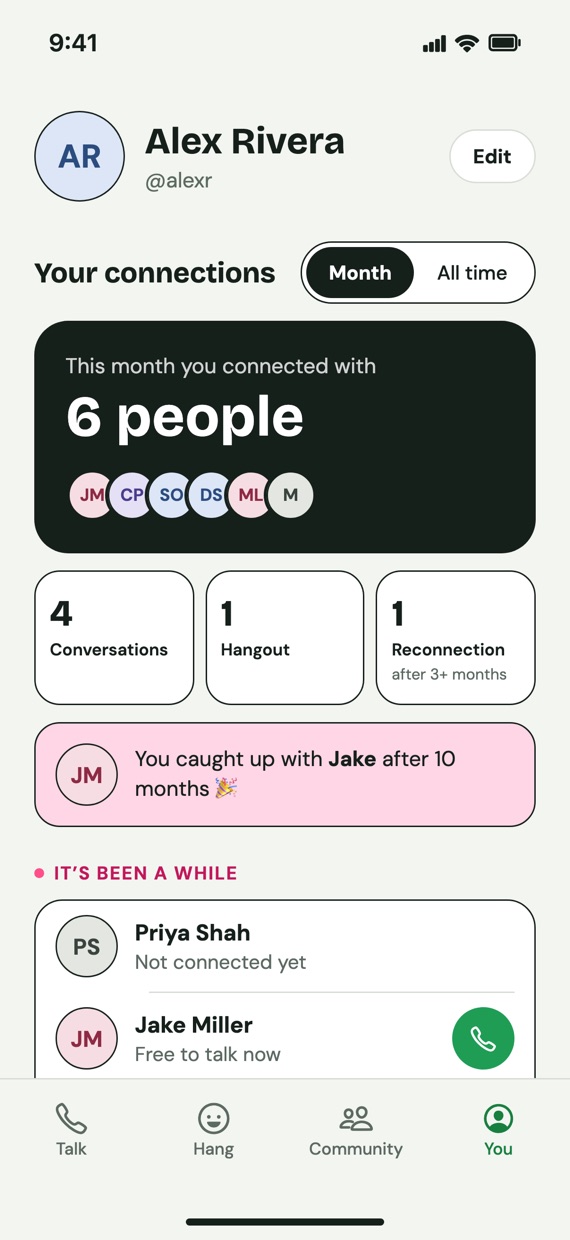
Your private recap shows who you really talked to and hung out with this month, and celebrates catching up after a long time apart.

  • “It’s been a while” gently shows who you haven’t talked to lately.
  • No streaks, no likes, no leaderboards. Only you see your stats.
  • The goal: less time on your phone, more time with your people.
This month you connected with 6 people
6 people this month 🎉

What Phone Tag isn’t

Not another social app.

Feeds Likes Texting Streaks Ads Strangers Your people ❤️
🤝

Only people you know

Every connection is approved by both of you.

🔒

Your number stays close

Only people in your circle can see your phone number.

🙈

No awkward moments

Passing, removing, or blocking is never shown to anyone.

🚫

Never sold

No ads, no tracking. Delete your account anytime in the app.

Get the app

Start talking today.

Phone Tag is free on the App Store for iPhone.

  1. On your iPhone, tap the button below (or scan the code with your Camera).
  2. Tap Get on the App Store page. It’s free, with no ads.
  3. Open Phone Tag, sign in, and add the people you love. It’s best with friends, so invite a few!
Download on the App Store

Android is on the way.

QR code for Phone Tag on the App Store

On a computer? Scan with your iPhone camera.

Questions

Good to know.

Is it free?

Yes. Phone Tag is free, with no ads.

How do calls work?

Phone Tag opens your iPhone’s own Phone or FaceTime app with your friend’s number filled in. It’s a normal call, so we never see or hear it.

What if I’m busy when someone’s free?

Nothing happens. People only see you’re free when you’ve tapped Free to talk?, and it stays on until you turn it off. No pressure, ever.

Do my friends need the app?

Yes. Phone Tag connects people who are both on it, so it’s best with a few friends or family. Add them by name, username, phone number, or QR code.

Is there an Android version?

Not yet, but it’s on the way. Once it’s out, iPhone and Android friends can call each other with a regular phone call.

Who can see my information?

Only people in your circle can see your phone number and when you’re free. Read the full privacy policy.